Dimraeth Controls: Keyboard, Mouse, Controller and Rebinds
Every Dimraeth control option in Early Access: WASD, right-click movement, full controller support, Steam Deck notes, and the settings worth changing first.
Last checked: 2026-09-17 · Facts on this page come from the sources listed above; anything unverified is marked as unconfirmed. Early Access details can change with each official patch.
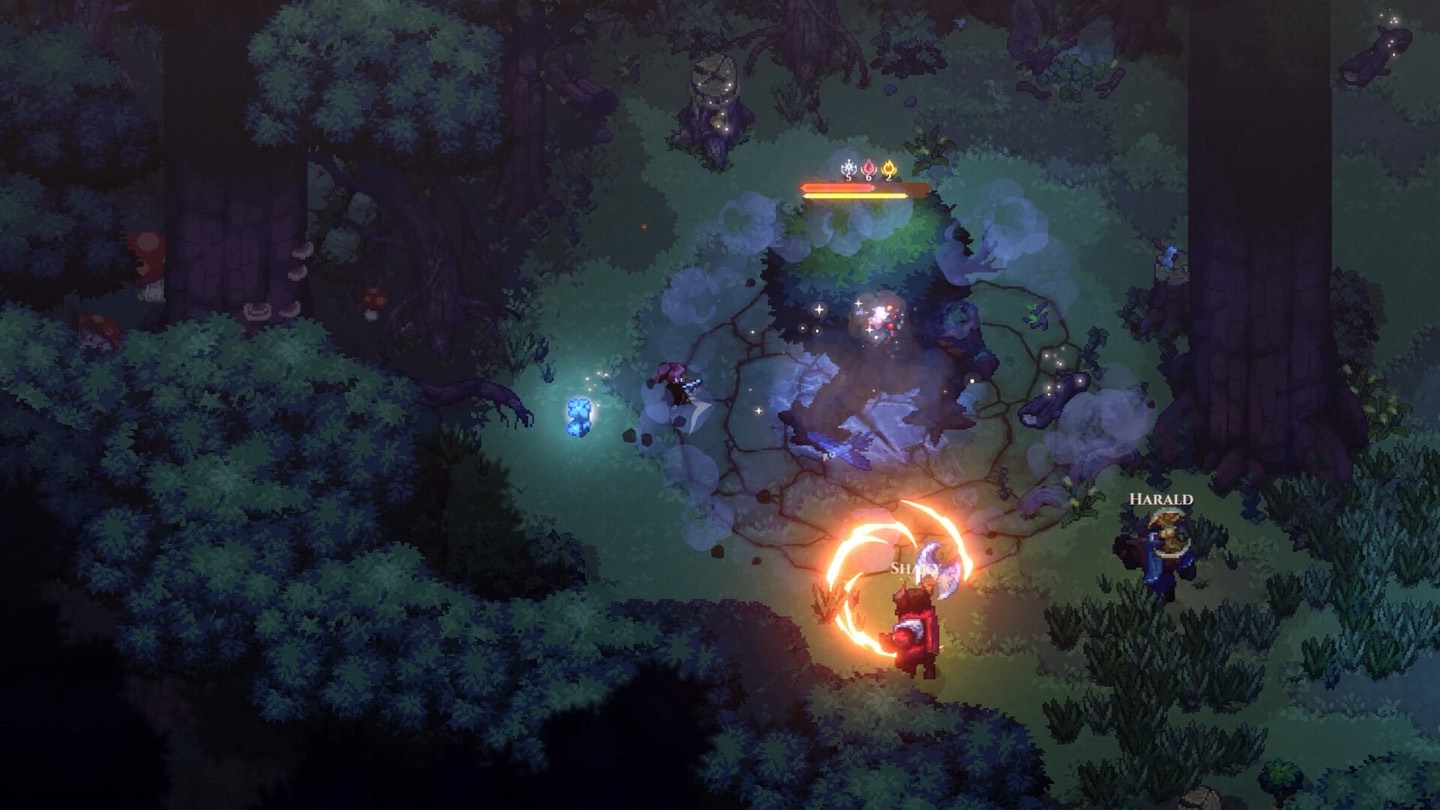
Dimraeth controls are unusually flexible for an indie action RPG: the game shipped into Early Access on September 15, 2026 supporting keyboard and mouse, gamepad, and a hybrid between the two, and community reviewers repeatedly single out input customization as one of its quiet strengths. Whether you want character movement, cursor movement, or a couch-friendly controller session, there is a scheme for it — this page lays out what exists, what works well, and what to set up before your first real fight.
The three input schemes
On keyboard and mouse, the default is classic WASD movement with the mouse aiming attacks and interacting — the scheme most action RPG veterans will settle into without thinking. Community guides also report a right-click movement option, the style familiar from MOBAs and isometric ARPGs like Path of Exile, where your character walks toward the cursor. Because Dimraeth's combat asks you to dodge, block, and position constantly, neither is strictly better; WASD gives you reflexive escape movement, while cursor movement keeps your mouse hand near every interactable.
Controller support covers the full game, and it matters because this is a game of held directions, dodge timing, and quick spell keys. Reviewers who followed the game from its demo through launch report that Early Access brought a clear improvement — menus that previously felt janky on a gamepad now behave, and combat on controller feels smooth. The recurring caveat: a handful of interface moments, like inspecting item details during character creation, are still faster with a mouse within reach.
The survival-crafting layer on the cursor
Dimraeth is an action game, but it is also a hoarder's game, and its controls reflect that. You will spend real time managing inventory, moving stacks into storage chests, salvaging gear at the forge, and arranging a sanctum full of crafting stations. That interface side is where mouse players feel fastest, and where controller players most often reach for hybrid play — gamepad in the field, mouse at the workbench. Both schemes are supported simultaneously; nothing stops you switching mid-session.
Two quality-of-life notes from launch coverage. First, community guides report an auto-sprint option for exploring, which removes the constant thumb pressure of holding run — worth enabling on any scheme. Second, Mudtek added an auto-deposit button at storage chests around the Early Access launch that matches items into chests automatically, which cuts most of the tedious chest-fumbling the demo was known for.
Steam Deck and handheld play
Community trackers who follow Mudtek's official communications report a full Steam Deck support claim, including controller input and a hybrid WASD layout for desktop-style play. The game's stated PC requirements are modest — an older quad-core CPU and a GTX 1050 Ti-class GPU are enough for the recommended tier — and the store page notes it is designed for smooth performance on mid-range machines, which is exactly the profile of handheld hardware. One caution: the Steam capture we checked did not show an official Verified or Playable badge, so treat Deck performance as promising but not officially rated.
Recommended early settings
A short setup pass saves hours. Remap or confirm your dodge and block keys first, because those two inputs carry more weight than any attack button in a Souls-lite — you will press them thousands of times. Next, sort your spell bar: five spells, arranged in the order you actually rotate them, so combos like applying a status and then detonating it map to adjacent keys. Turn on auto-sprint, enable any hold-to-repeat interactions the settings offer, and if you play cursor movement, check the option for move-versus-attack click behavior before it causes a mis-thrown fireball.
Controller players should set their dodge to a bumper or paddle if their pad allows it, keep the camera comfortable at the game's default zoom, and expect to switch to the cursor for inventory-heavy sessions. And because Early Access patches keep adjusting feel, re-check these bindings after major updates — Mudtek has already shipped at least one skill tree overhaul since launch, and input refinements tend to ride along with content patches.
Where controls meet the build
Inputs are only half the equation; the game's menus are part of play. The spell panel and skill tree share a screen, the codex indexes every status effect and gear set you have discovered, and the map tracks spellbook locations and waygates you have touched. Learning those screens — which the gameplay overview breaks down — matters as much as button layout. If you are still choosing a platform or weighing the purchase itself, the Steam page covers editions and pricing, and the guide hub collects every practical how-to, including saving and respecing your build when a control scheme change makes you rethink your playstyle.
FAQ
Does Dimraeth have controller support?
Yes. The game launched into Early Access with gamepad support on PC, and community reviewers who played before and after launch report that controller handling improved noticeably at the Early Access release, though a few menu interactions can still be faster with a mouse.
Can you play Dimraeth with WASD and mouse?
Yes. Keyboard and mouse players can use classic WASD character movement, and community guides also report a right-click movement scheme similar to MOBA and isometric ARPG controls, so you can pick whichever feels natural.
Is Dimraeth playable on Steam Deck?
Community trackers cite an official full-support claim for Steam Deck, including controller and hybrid WASD input, and the game's stated PC requirements are modest enough for handheld hardware. Steam has not displayed a Verified or Playable rating in the captures we checked.
Official sources
Related guides
Browse all →Dimraeth Base Building Guide: Your Sanctum, Station by Station
How base building works in Dimraeth: Faustas blueprint quests, your first workbench, storage chests, farms and the quarry, co-op base rules, and the build order that works.
Dimraeth Farming Guide: XP, Deeds, Bounties and Events
What Dimraeth farming actually means: repeatable XP from deed quests, bounty board boss hunts, world events, respawning enemies, and sanctum rests. Level fast.
Dimraeth Gameplay Guide: Combat, Progression and Co-op Loop
How Dimraeth gameplay fits together in Early Access: the combat loop, XP-as-currency progression, resting, deeds, and the day cycle, explained system by system.
Dimraeth Guide: How to Start Strong in Early Access
A practical Dimraeth guide for the Early Access opening hours: race and class picks, the Lost Caverns start, Earlwood, skill trees, and the loops that matter.
Dimraeth How to Get Water: Every Reliable Source
How to get water in Dimraeth: craft it from your inventory, harvest it from slime-type enemies, and build a well at your sanctum. Every source, checked.
Dimraeth How to Heal: Flasks, Food, Spells and Resting
How to heal in Dimraeth: flask charges from tender berries, campfire rests, cooked food, alchemy potions, and heal spells. Every recovery option explained.